
Enter one start date. The rest plans itself.
Vlarotech in Zwaag builds loader cranes onto trucks. We built the planning tool that replaced their annual plan in Excel: one start date per project, and every phase rolls out automatically after it.
- Client
- Vlarotech, Zwaag
- Sector
- Loader crane building
- Scope
- Custom planning tool
- Core
- An annual plan that recalculates itself
- Screens
- Example projects with neutral names
An annual plan that kept growing in Excel
Every Vlarotech project goes through the same fixed phases: welding, paint shop, assembly and the truck dealer. The annual plan lived in Excel, and every change meant manual work.
When one project moves a week, everything behind it moves too. In a spreadsheet, that means updating everything behind it by hand, every time.
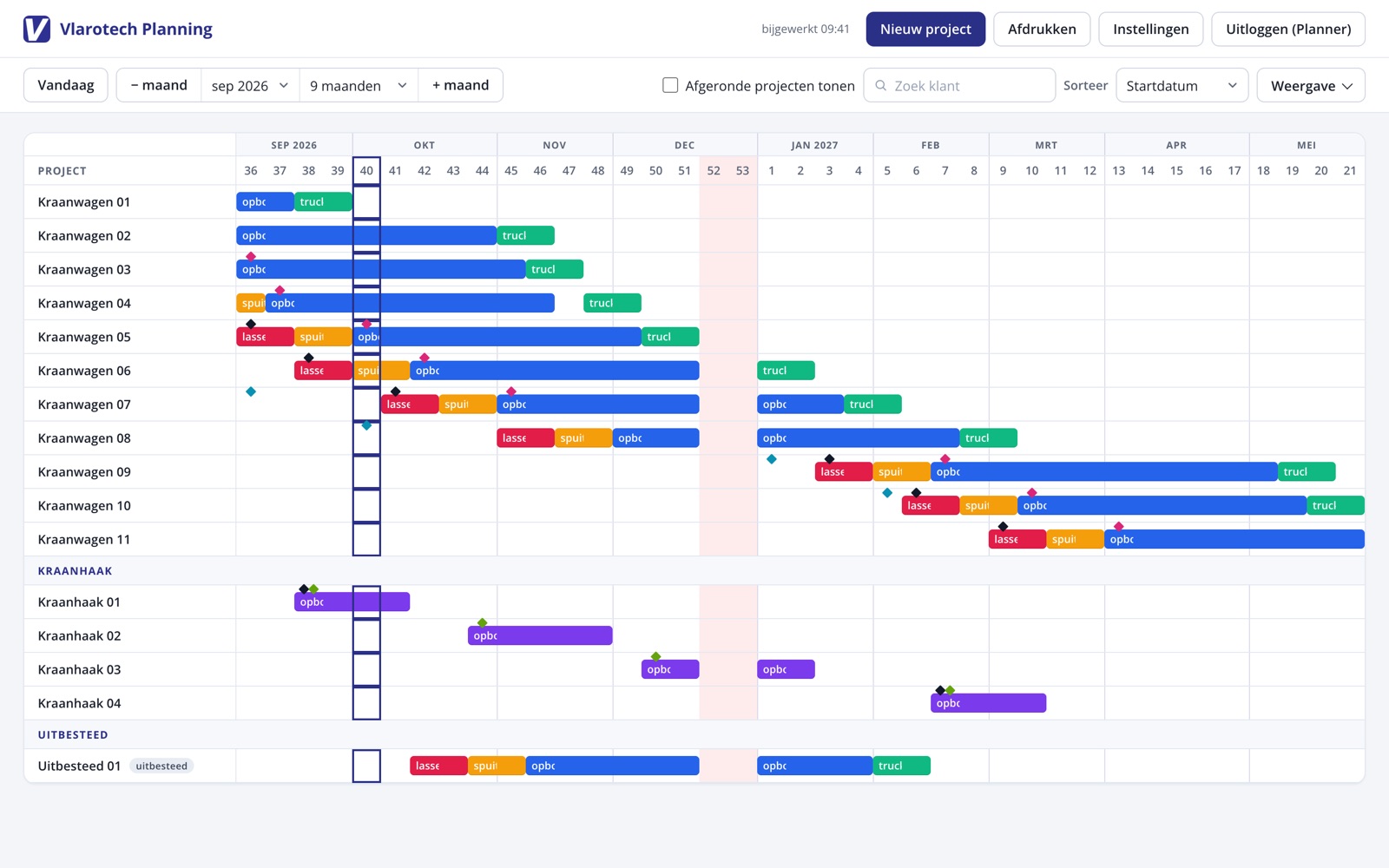
Planning by phases instead of cells
In the planning tool you only enter a project's start date. The phases roll out automatically, each with a fixed duration. Delivery dates, such as the truck delivery and the crane lead time, sit with the project itself.
When something shifts, everything behind it recalculates. The plan can be viewed across several months or zoomed in on weeks, and printed for the shop floor.
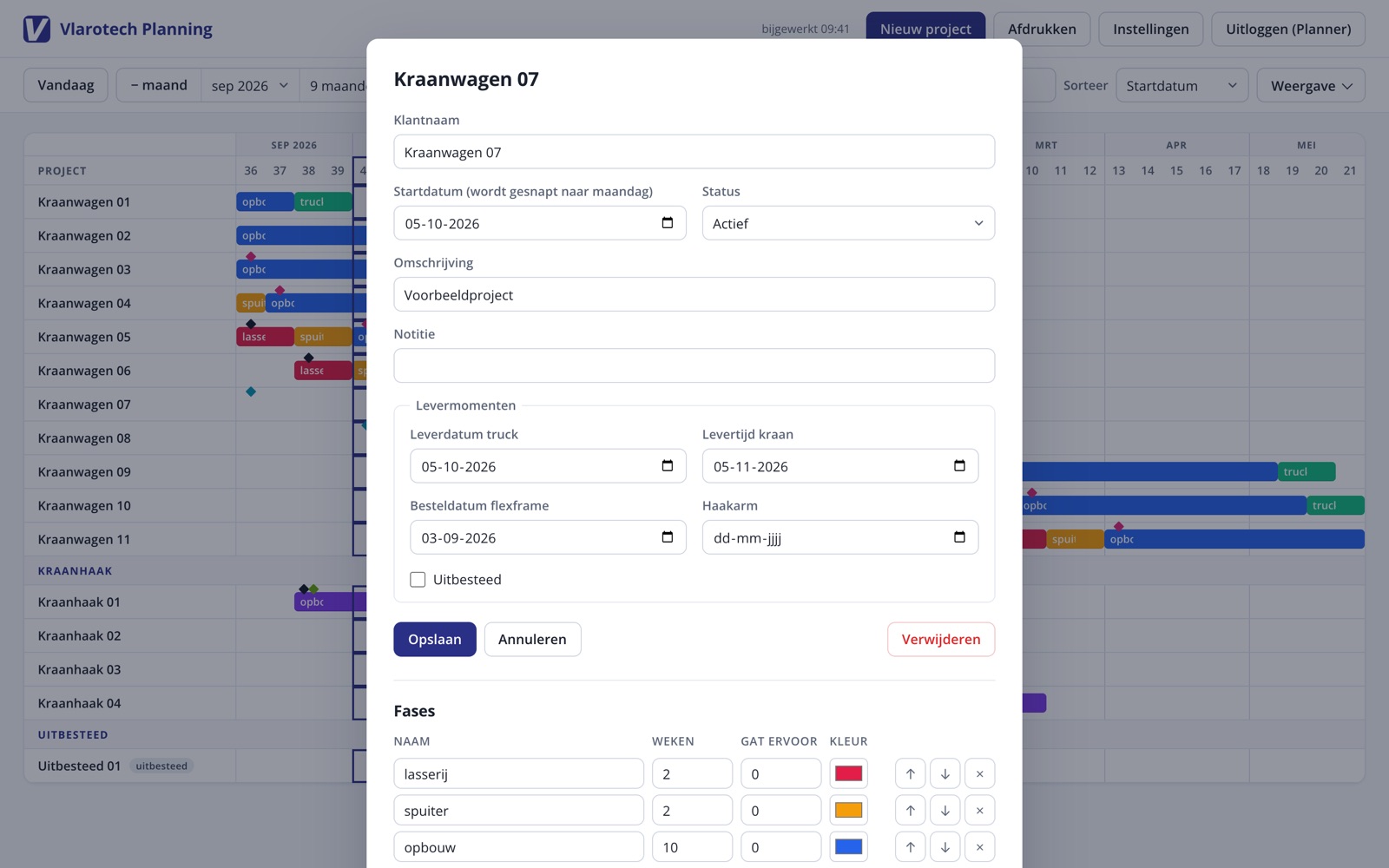
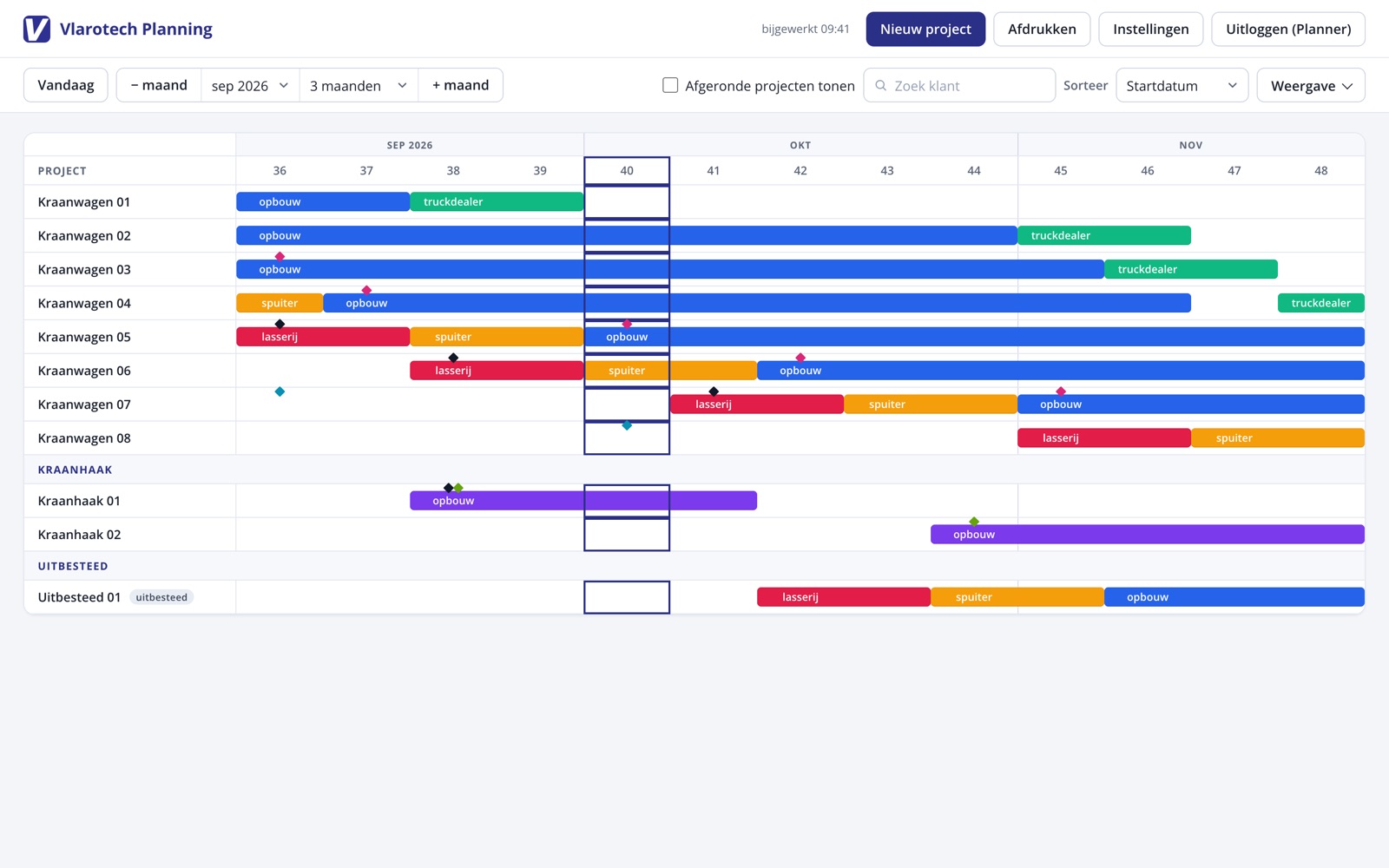
Enter one start date, and the whole annual plan rolls out.